
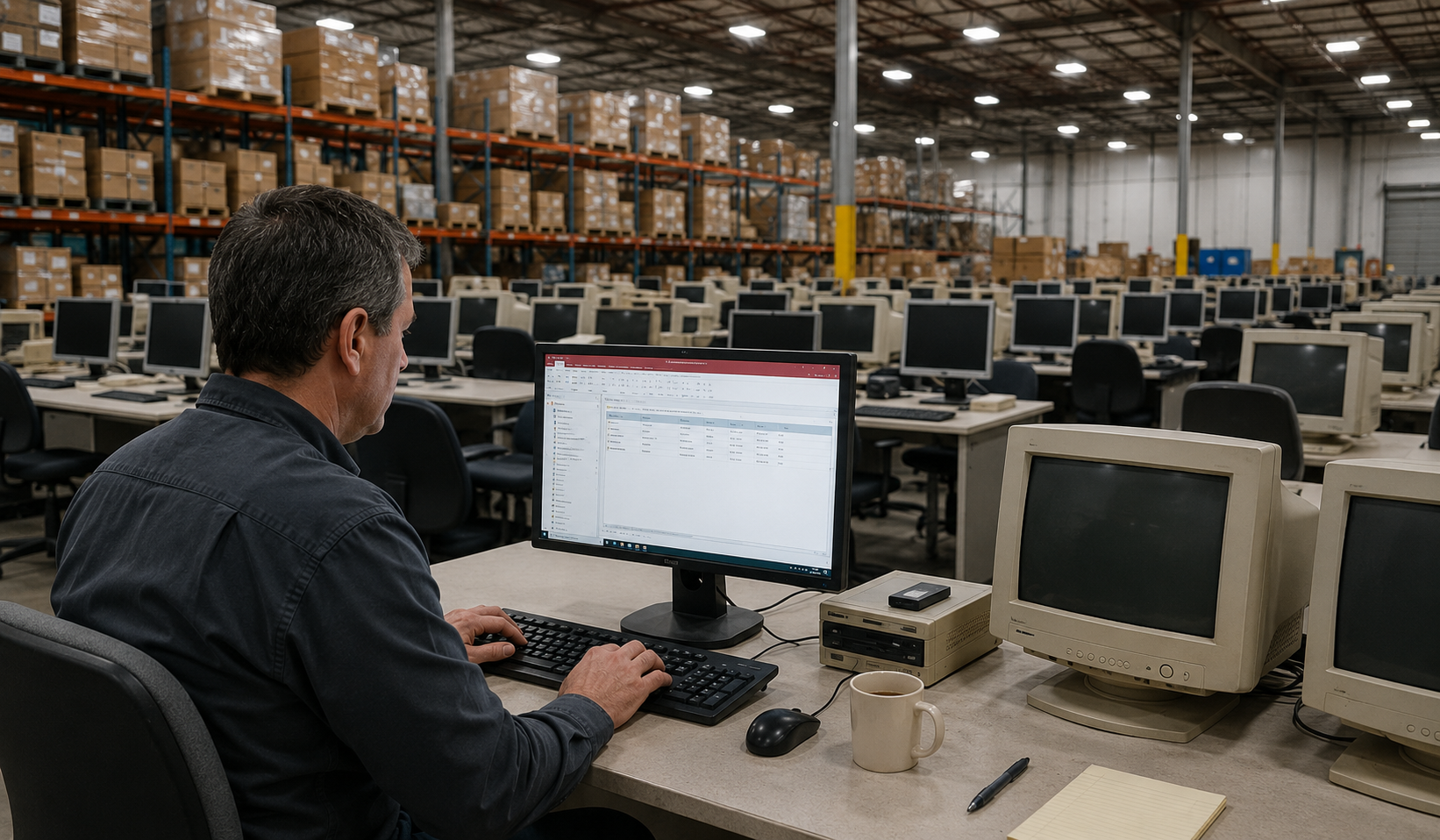
Common Problems We See
Most SMEs don’t realise how much time, risk, and inefficiency an outdated Access database creates until the problems start affecting daily operations. If any of the issues below sound familiar, it may be time to consider a more modern solution.
Slow Access Database
As your business has grown, your Access database hasn’t kept pace. Everyday tasks are slower, reports take longer to run, and productivity suffers while employees wait for the system to catch up
Crashing & Corrupting
The system regularly locks up, data issues keep appearing, and someone always ends up dropping what they are doing to deal with the latest problem. It’s frustrating, time-consuming, and completely avoidable.
Multi-User Access Database Issues
The database has become a bottleneck for your team. Staff can’t always access the information they need when they need it, and record locking and file conflicts create delays that impact day-to-day operations.
Constant Re-Indexing
The database works as long as someone remembers to keep patching it up.
The Developer Is Gone
Nobody in the business was involved in building the database, which makes troubleshooting and updates harder than they need to be.
No Reporting Visibility
The information is in the database somewhere, but producing useful reports isn’t always straightforward. Staff often spend more time compiling data than analysing it.
You Have Outgrown Access
The database did the job when the business was smaller. Now it’s supporting more people, more data, and more processes, and the limitations are becoming harder to ignore.
Spreadsheet Chaos
What started as a few spreadsheets has grown into a patchwork of files that are difficult to manage and maintain.
Request an Access Database Review
Complete the form and a member of our team will contact you to discuss your current database, requirements, and migration options.
CASE STUDY – MANSFIELD’S PROPAGATION NURSERY’S BIGGEST SHIFT
How a Six-Million-Plant Nursery Modernised the System Running Its Entire Operation
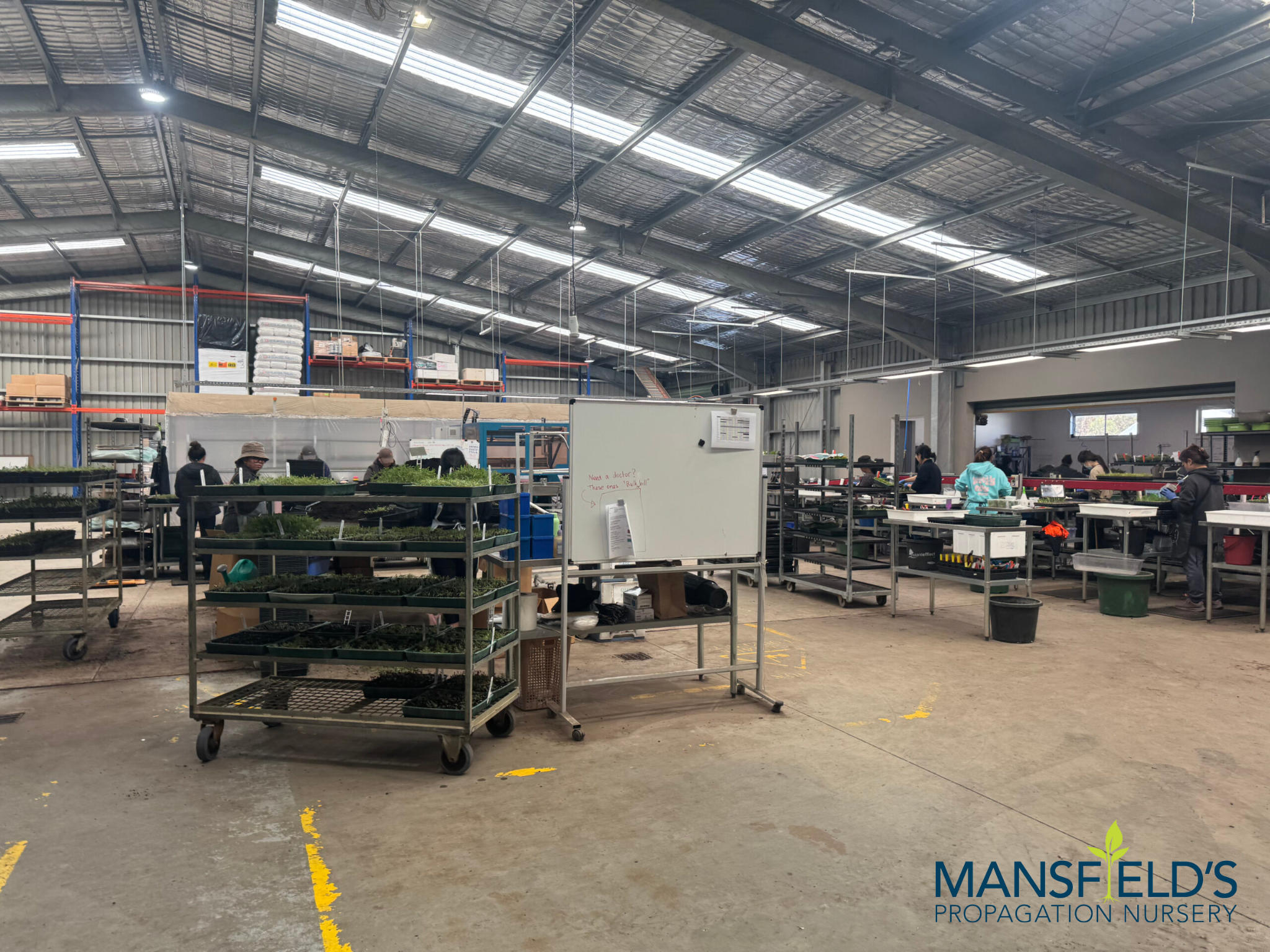
As Mansfield’s Propagation Nursery expanded, the software behind the business was no longer keeping pace with the scale of the operation.
Its Microsoft Access database was responsible for supporting a nursery producing more than six million plants every year. Inventory updates were delayed, managers relied on printed job rounds, and critical production information wasn’t immediately available to the people making operational decisions.
The system that had supported the nursery for years was no longer providing the visibility needed to manage a growing business efficiently.
OUR SOLUTION
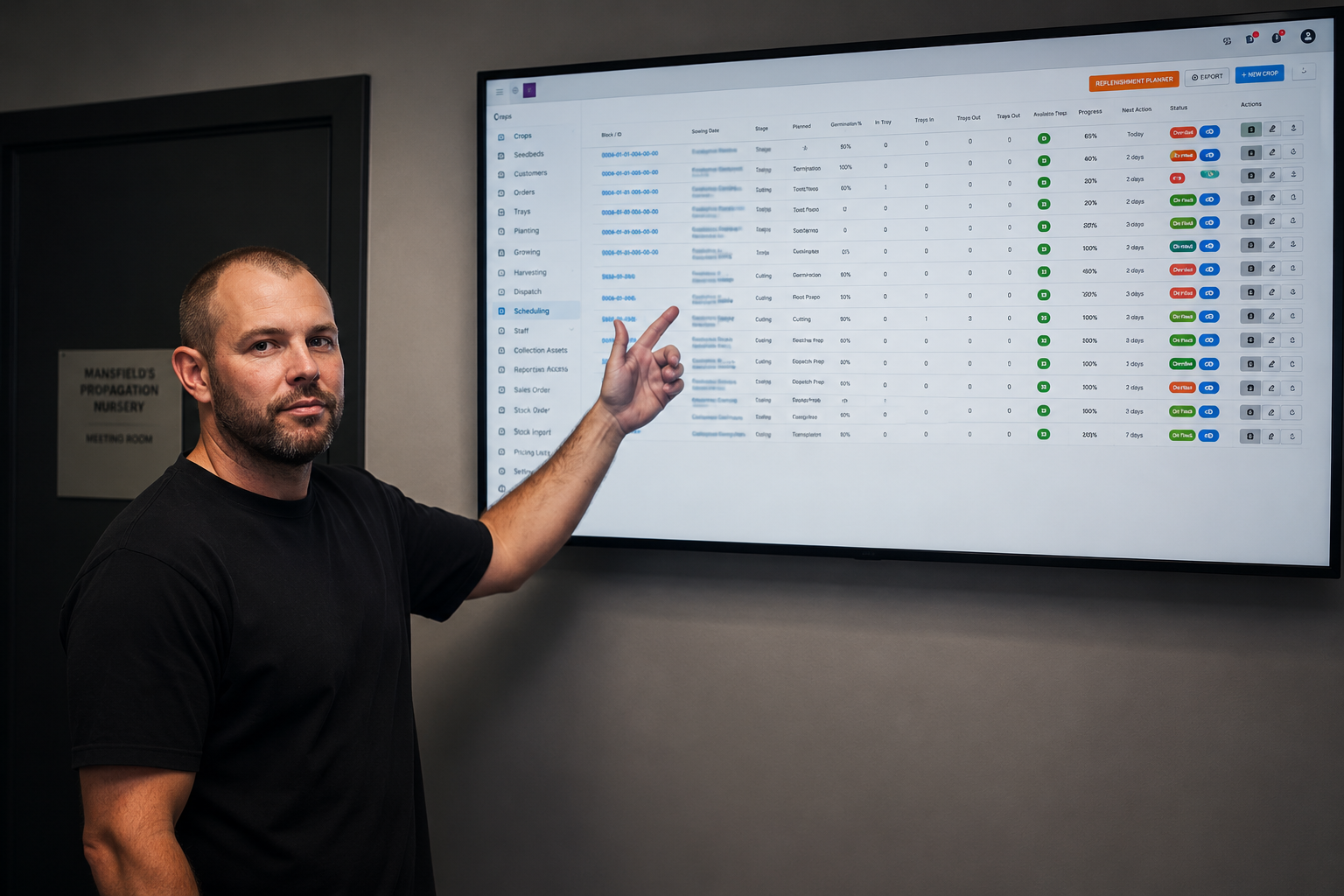
We replaced the Access database and supporting Excel spreadsheets with a custom web application designed around the nursery’s day-to-day operations.
Every record was successfully migrated into the new system while introducing live inventory, digital workforce scheduling, and real-time reporting across the business. Staff could access current information from anywhere on the property, giving managers immediate visibility without relying on paper-based processes or outdated reports.
The result was a modern business application that improved operational efficiency while providing a platform ready to support future growth.
REAL-TIME INVENTORY VISIBILITY
SCHEDULE FROM THE NURSERY FLOOR
LIVE REPORTING & SMARTER DECISIONS
INTERACTIVE JOBS BOARD
10× FASTER, MORE SECURE
From Access Database to Modern Web Application
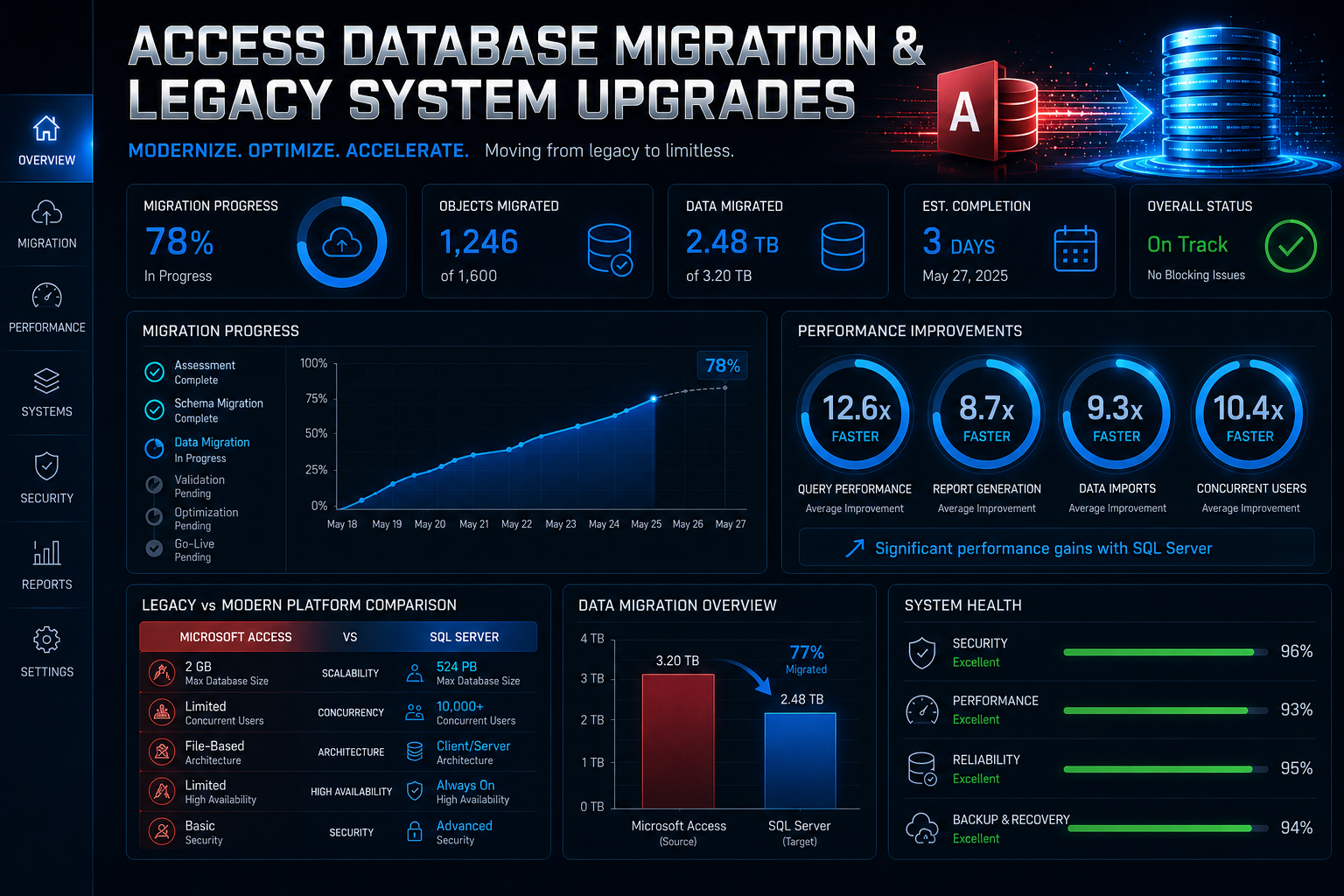
Our approach goes beyond data migration. We analyse how your Access database is used, address existing limitations, and rebuild the system on a modern platform while retaining your valuable data.
Give Your Business the Flexibility It Needs
We migrate Microsoft Access databases into secure PHP and MySQL web applications that run through any modern web browser. Your staff can securely access the system from the office, at home, on customer sites, or across multiple business locations while working from the same live database.
The application grows alongside your business and supports as many authorised users as you need.
Replace Spreadsheets with One Reliable Business System
Many businesses gradually build dozens of spreadsheets around their Access database to fill operational gaps.
We consolidate spreadsheets and legacy databases into a single application that improves data accuracy, simplifies reporting, and gives your entire team one reliable source of information.
Modernise Older Microsoft Access Databases
We modernise Access 2003, Access 2007, and other legacy applications while preserving the workflows your staff already know. The result is a secure, supported business application that’s easier to maintain and built to support future business growth.
Connect the Software Your Business Uses Every Day
Your business application should work alongside the rest of your technology, not operate in isolation.
We can integrate your new system with Microsoft 365, accounting software, CRM platforms, inventory systems, email, quoting software, and other business applications. This reduces duplicate data entry, improves reporting accuracy, and creates a more connected business environment.
Multi-User Web Access
Access databases often struggle as more staff begin using them at the same time.
Our browser-based applications allow authorised users to work securely from any location while accessing the same live information. Your team can collaborate more effectively without file locking, shared database problems, or outdated copies of important information.
Get the Information You Need, When You Need It
Business leaders need accurate information when decisions need to be made, not hours or days later.
We build dashboards and reports that provide live visibility into inventory, projects, scheduling, customer activity, sales, compliance, and operational performance. Instead of relying on manually prepared spreadsheets, you’ll have immediate access to the information that helps your business move forward.
Access Database Migration Specialists
We help Australian businesses move away from unstable legacy systems without losing years of operational knowledge and historical data.
We specialise in:
Access database migration
Access to MySQL/PHP conversions
Microsoft Access replacement
Workflow modernisation
Access database upgrades
Web-based operational platforms
Legacy operational system upgrades
Custom business application development
Excel spreadsheet migration
Access database support
What We Replace
We modernise the systems that run your business.
Production management systems
CRM-style Access databases
Manufacturing workflows
Operational reporting systems
Inventory databases
Spreadsheet-based processes
Quoting systems
Legacy desktop applications
Scheduling systems
Job tracking databases
Our Access Database Migration Process
Replacing a business-critical database takes careful planning. Our six-step process keeps your Frankston project moving in a clear and organised way, with each stage reviewed before the next begins. You’ll always know where the project stands and what comes next.
01
We Get to Know Your Current System
We review your Access database, spreadsheets, reports, and the way your team uses them every day. We also look at the manual processes and workarounds that have become part of normal operations. This gives us a complete picture before we begin designing the replacement.
02
We Design the New Application Around Your Business
Before development starts, we map out how the new application will work, including the screens, reports, and workflows your team relies on. You’ll review the proposed design and provide feedback before any development begins. This keeps the project aligned with your business requirements from the start.
03
We Prepare Your Data Before the Move
Most long-running databases contain duplicate records, outdated information, and inconsistencies that have accumulated over time. We review and clean the data before migrating it into the new application. Starting with accurate information helps improve reporting and day-to-day operations.
04
We Build the New System Alongside the Old One
Your existing Access database remains available while we develop the replacement application. Your team can continue working as normal throughout the project. Once the new system is ready, we plan the transition to minimise disruption.
05
We Check Everything Before Launch
Every report, workflow, form, integration, and user permission is tested before the new application goes live. We confirm the data is accurate and that the system performs as expected under normal business use. Any adjustments are completed before your team starts using it.
06
We Stay Involved After Go-Live
Once the new system is in place, we continue supporting your team as they become familiar with it. We answer questions, make practical adjustments where needed, and help ensure the application fits naturally into your daily operations. Our aim is to leave you with a system your team is comfortable using every day.
Businesses That Have Outgrown Access
Frankston has a diverse business community, with healthcare providers, professional services, retailers, builders, manufacturers, hospitality venues, education providers, and growing service businesses all contributing to the local economy. Many of these organisations still rely on Microsoft Access databases that were built years ago and gradually expanded as the business grew. If your team is spending more time working around the software than getting work done, it’s probably time to consider a modern replacement.
Manufacturing & Production
Manufacturers often rely on Access databases to manage production schedules, inventory, purchasing, and quality records. As operations grow, those systems can become slower, harder to maintain, and more difficult for larger teams to use. We replace ageing databases with modern applications that provide live information and better visibility across production.
Wholesale & Distribution
Manufacturers often rely on Access databases to manage production schedules, inventory, purchasing, and quality records. As operations grow, those systems can become slower, harder to maintain, and more difficult for larger teams to use. We replace ageing databases with modern applications that provide live information and better visibility across production.
Trade & Field Services
Builders, electricians, plumbers, landscapers, HVAC companies, and maintenance contractors rely on accurate scheduling, quoting, invoicing, and customer information every day. Older Access databases often make these tasks more difficult as the business expands. A browser-based application allows office staff and field teams to access the same live information from wherever they’re working.
Healthcare & Allied Health
Frankston is home to a large number of medical centres, specialist clinics, aged care providers, and allied health practices that manage significant volumes of patient information and reporting. Older Access databases can become increasingly difficult to support as business requirements change. We modernise these systems while preserving valuable historical records and improving day-to-day administration.
Not-for-Profit & Community
Community organisations often rely on Access databases to manage memberships, volunteers, donor information, funding applications, and reporting. As those databases age, administration becomes more time-consuming and maintaining accurate information becomes increasingly difficult. We replace them with modern applications that simplify these processes and provide better access to reliable data.
Professional Services
Accountants, legal firms, financial advisers, consultants, insurance brokers, and property professionals often continue using Access databases that were originally intended as temporary solutions. Over time, those systems become central to the business but struggle to keep up with increasing workloads. We migrate these legacy databases into modern web applications that improve collaboration, reporting, and the way your team works every day.
Technology Stack
We build modern, secure systems using:
FAQ
How long does an Access database migration take?
Most projects take between four and twelve weeks to complete. The timeframe depends on the size of your database, the number of people using it, and how your business operates. Once we’ve reviewed your current system, we’ll provide a clear timeline so you know what to expect.
Will my existing data be safe?
Yes. We carefully transfer your existing records into the new application and check the results against your current database before the changeover. Taking the time to review and clean the data beforehand also helps improve the quality of the new system.
Can you improve our existing Access system instead of replacing it?
Sometimes a small update is enough to resolve a particular issue. If the database has reached the limits of what Microsoft Access can comfortably handle, replacing it with a modern application is usually the more practical long-term option. We’ll explain both approaches and help you decide which one makes the most sense.
Can staff use the new system outside the office?
Yes. The new application runs through a secure web browser, so authorised staff can access it from the office, home, or while visiting customers. Everyone works from the same live information without needing to manage different versions of the database.
Our Access database keeps crashing. Is there anything we can do before replacing it?
Yes. We regularly help businesses whose databases have become unstable or unreliable over time. In many cases, we can improve the stability of the existing system while preparing the replacement, allowing your business to continue operating during the migration.